0
Likes
14
Downloads
0
Comments
Description
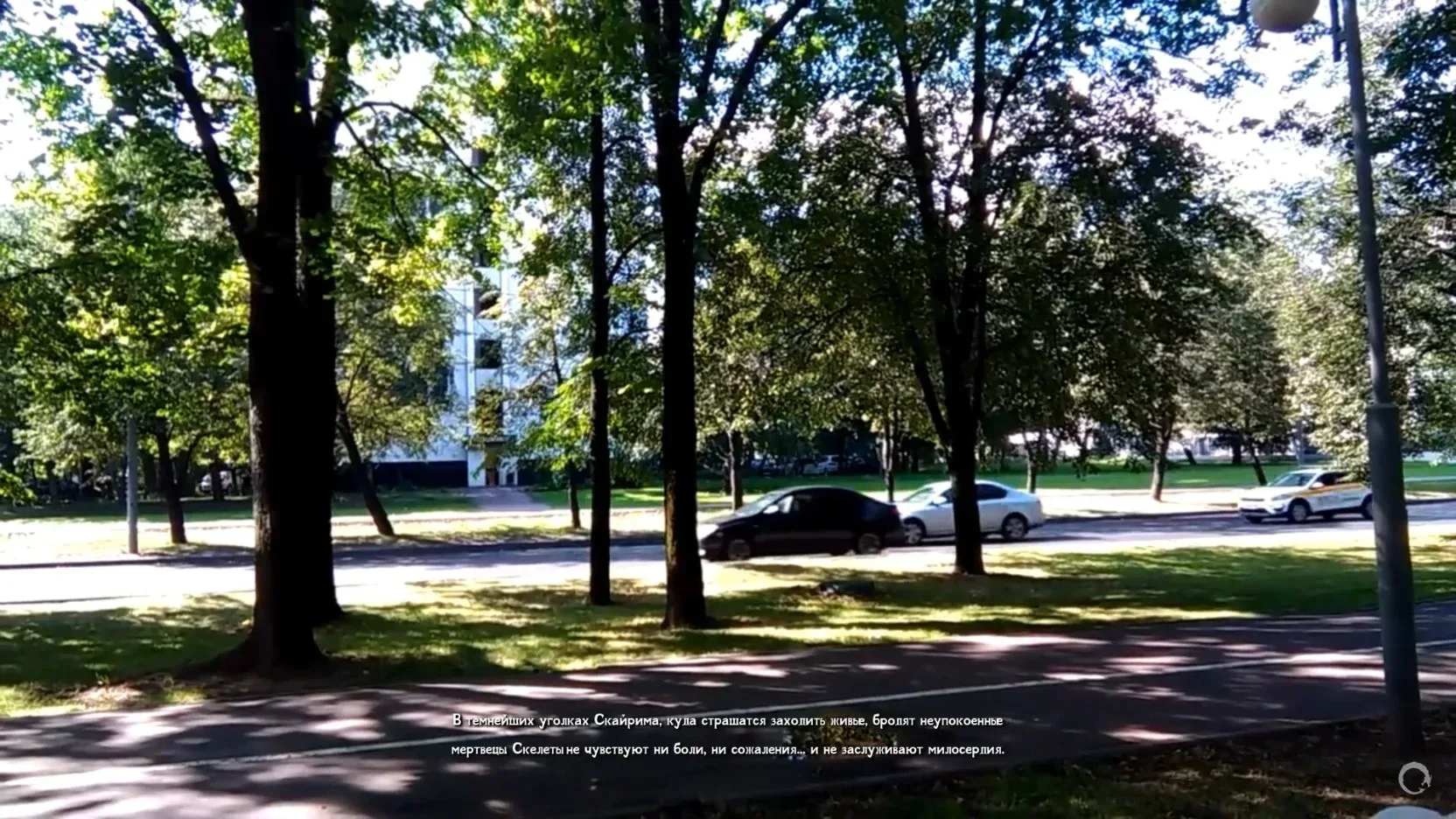
Animated Loading Screens replaces Skyrim's static loading screen presentation with video-backed loading screens. It is an SKSE plugin for Skyrim Special Edition, Anniversary Edition, and GOG AE that draws a Direct3D 11 video overlay when Skyrim opens the vanilla LoadingMenu. You keep Skyrim's normal loading behavior, but the visual layer can now be driven by your own MP4, WebM, MKV, MOV, AVI, GIF, or APNG files.
Drop videos into the mod's media folder, choose random, sequential, or weighted playback, tune fades and fitting behavior in an INI file, and let the plugin handle the rest. If the video decoder cannot start, if FFmpeg DLLs are missing, or if a file cannot be decoded, the plugin fails safely and leaves Skyrim's vanilla loading screen available.
Skyrim SE 1.5.97, Skyrim AE 1.6.x Steam, or Skyrim AE GOG 1.6.x.
Matching SKSE and Address Library for SKSE Plugins.
Skyrim VR is not supported.
Install this as a normal Skyrim mod archive. You do not need the source repository, CMake, Visual Studio, or any build tools.
With Mod Organizer 2 or Vortex, install the downloaded archive like any other SKSE plugin mod. Enable it in your mod manager and keep the archive's Data layout. After installation, the final virtual game folder should contain:
Data\SKSE\Plugins\AnimatedLoadingScreens.dll
Data\SKSE\Plugins\AnimatedLoadingScreens.ini
Data\SKSE\Plugins\AnimatedLoadingScreens\LoadingScreens\
Data\SKSE\Plugins\AnimatedLoadingScreens\Playlists\default.txt
Data\SKSE\Plugins\AnimatedLoadingScreens\FFmpeg\
For manual installation, open the archive and copy the SKSE folder into your Skyrim Data folder, merging it with the existing Data folder when Windows asks. Do not create an extra nested folder. The important check is that AnimatedLoadingScreens.dll ends up directly in Data\SKSE\Plugins.
Launch the game through SKSE. The plugin reads Data\SKSE\Plugins\AnimatedLoadingScreens.ini, creates missing mod folders if needed, and starts working the next time a loading screen opens.
Put your media files here:
Data\SKSE\Plugins\AnimatedLoadingScreens\LoadingScreensYou can add files directly to that folder, or use subfolders if ScanSubfolders=true is enabled. The default extension filter accepts .mp4, .mkv, .webm, .mov, .avi, .gif, and .apng. MP4, WebM, and MKV are recommended. Actual codec support depends on the FFmpeg DLLs shipped with the archive, so if one file does not play, try re-encoding it to H.264 MP4 or VP9 WebM.
Video playback is silent in this version. Use clips as visual loops, intros, ambience shots, faction logos, animated artwork, or modpack branding. Short 1080p clips are usually best. Very large files can be skipped by the size filter, and very high-resolution sources may be downscaled by the INI limits.
When Skyrim opens LoadingMenu, the plugin selects a media file, starts decoding it with dynamically loaded FFmpeg DLLs, and uploads frames to a D3D11 texture. The overlay renderer draws that texture over the loading menu until the loading menu closes. Fade-in, fade-out, crossfade, opacity, background color, and fit mode are controlled from the INI.
The mod can cover the vanilla 3D loading art completely, or leave it visible behind the video if you use transparency and set CoverVanillaLoadingScreen=false. The vanilla bottom-right loading spinner is visible by default for compatibility, but you can hide it with HideVanillaLoadingSpinner=true.
The optional playlist file is:
Data\SKSE\Plugins\AnimatedLoadingScreens\Playlists\default.txtPlaylist entries are relative to the LoadingScreens folder. Absolute paths and .. escapes are rejected. The format is:
# path | weight | optional display duration in seconds
intro.mp4 | 10
dark_forest.webm | 5
logo_loop.mp4 | 20 | 8.0
Weights are useful with SelectionMode=weighted_random. Duration overrides are useful for playlist-style playback and crossfades. If you do not want playlists, leave default.txt empty or commented and let the plugin scan the LoadingScreens folder.
The main file is:
Data\SKSE\Plugins\AnimatedLoadingScreens.iniIf the file is missing, the plugin creates a default one.
Enabled turns the plugin on or off without uninstalling it. LoadingScreensFolder chooses the media folder under Data\SKSE\Plugins\AnimatedLoadingScreens; absolute paths and parent-folder escapes are rejected. ScanSubfolders includes nested folders. AllowedExtensions controls which file extensions are scanned. SelectionMode can be random, sequential, or weighted_random. RememberLast stores the last sequential pick between sessions. EnableInVR is only a compatibility placeholder; VR is unsupported. LogLevel can be trace, debug, info, warn, error, or critical.
PlaybackMode can be repeat_single, next_after_end, or crossfade_playlist. PlaybackSpeed changes playback speed. Mute is reserved because playback is silent. LoopVideo affects repeat_single. PreloadNext prepares the next decoder early. FrameQueueSize caps decoded frames in memory. MaxDecodeWidth and MaxDecodeHeight downscale large sources while preserving aspect ratio. TargetFPS caps output frame rate and acts as a fallback when timestamps are missing. PauseWhenMenuClosed is reserved; playback currently fades and stops when the menu closes.
FadeInMs and FadeOutMs set open and close fade durations in milliseconds. EnableCrossfade allows crossfades when PlaybackMode=crossfade_playlist. CrossfadeMs controls crossfade length. FadeBetweenDifferentFiles is reserved for future tuning. FadeToBlackOnMenuClose draws the configured background during the closing fade.
FitMode can be cover, contain, or stretch: fill and crop, fit with bars, or fill without preserving aspect ratio. Opacity is a global overlay opacity from 0.0 to 1.0. BackgroundColor is a hex RGB color behind the video. CoverVanillaLoadingScreen fills over Skyrim's vanilla loading art before drawing the video. HideVanillaLoadingSpinner hides the bottom-right loading spinner while the overlay is active. ShowDebugOverlay is reserved for future diagnostics.
DecoderThreadPriority can be low, below_normal, or normal. MaxDecoderThreads caps FFmpeg worker threads; the default of 1 is safest for game frame pacing. MaxFilesToScan limits large media libraries. SkipFilesLargerThanMB skips huge files, or use 0 to disable that size filter. UseHardwareDecoding is reserved; this version uses software FFmpeg decoding.
DisableWhenENBMenuOpen, DisableWhenConsoleOpen, and FailSafeVanillaFallback are reserved compatibility options. Decoder and initialization failures already fall back to vanilla loading screens.
Install the archive with MO2/Vortex or copy its Data folder into Skyrim's folder.
Make sure SKSE and Address Library are installed.
Put videos in Data\SKSE\Plugins\AnimatedLoadingScreens\LoadingScreens.
Start Skyrim through SKSE and trigger any normal loading screen.
For a simple cinematic setup, leave PlaybackMode=repeat_single, SelectionMode=random, FitMode=cover, and Opacity=1.0. For a curated modpack rotation, create entries in Playlists\default.txt, use SelectionMode=weighted_random, and switch to PlaybackMode=crossfade_playlist with crossfade enabled.
This mod only changes the visual presentation while Skyrim is already showing a loading menu. Keep FFmpeg DLLs inside Data\SKSE\Plugins\AnimatedLoadingScreens\FFmpeg, keep videos inside the LoadingScreens folder, and keep launching through SKSE.